
A Fixed Asset Register (FAR) that agrees with what is deployed.
Load booked entries, break them into detailed records under maker-checker approval, and reconcile the register against network, warehouse and contract data.
- Maker-checker approval
- Rule-based reconciliation
- Data import
- History on every entry
From booked value to a detailed, reconciled register.
Booked entries
Create entries by hand or import them in bulk using a downloadable template. Import history is kept.
Detailing
Break each entry into hardware, software, service and grouping records. Detailed cost cannot exceed the booked value.
Maker-checker
Submit, withdraw, approve, reject, rework and reverse, each with a mandatory reason. The approver must differ from the submitter.
Cost allocation
Base cost on a manual value, a purchase order or invoice, or the unit price list. Spread a service cost across hardware pro rata.
Reconciliation
Run on demand or on a daily, weekly, monthly or yearly schedule against network inventory, warehouse inventory and contracts.
Register repository
Browse by asset structure, classification, location, asset class or capitalization year, with a lifecycle trace for each asset.
A 360-degree view of every register entry.
Open one FAR entry and see where its value came from, how it was detailed and approved, and whether the asset behind it still exists.
- From booked value to detailed, approved records
- Traced back through capitalization, receipt and purchase order
- Reconciled against network, warehouse and contract data
- Finance and operations looking at the same entry
What it looks like.
Know how much of the register is explained.
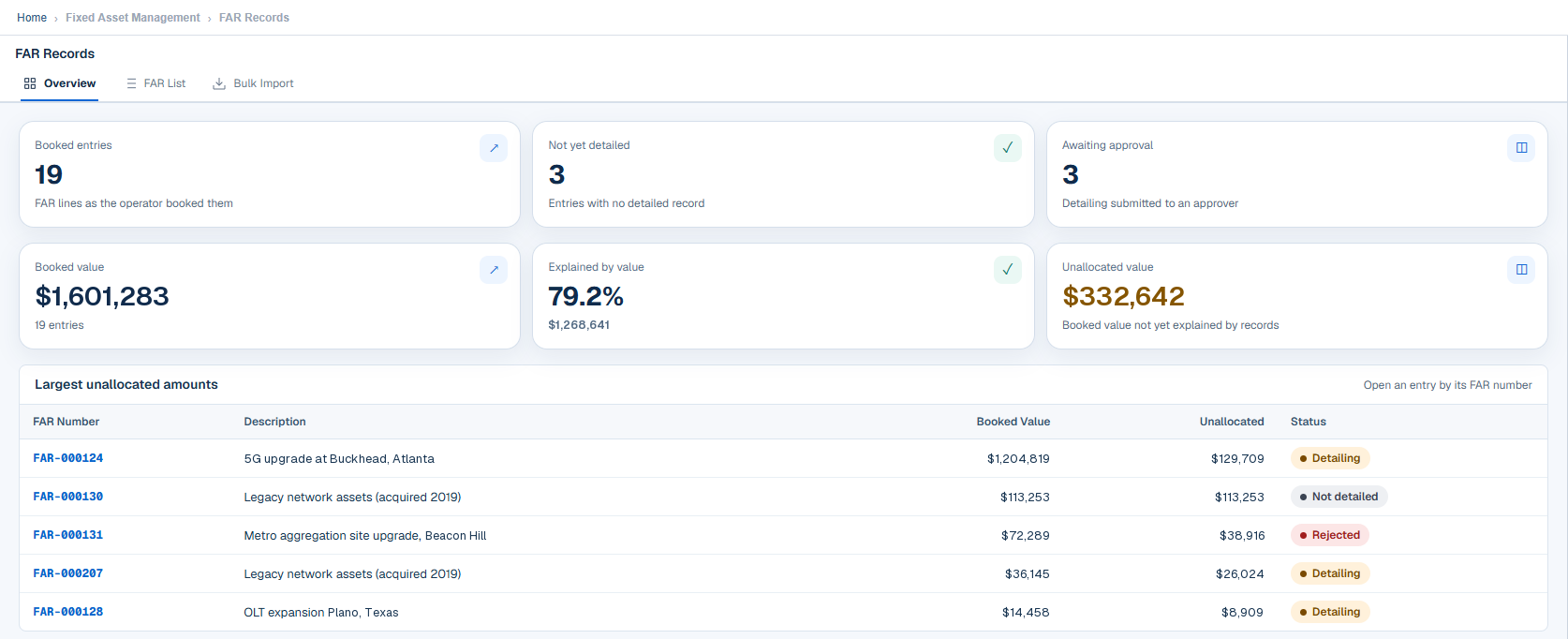
Booked value sits beside the share already explained by detailed records and the amount still unallocated. The largest unallocated entries are listed with their detailing status.
- Booked entries and those not yet detailed
- Detailing awaiting approval
- Explained-by-value percentage
- Largest unallocated amounts
Reconciliation that shows what to close.
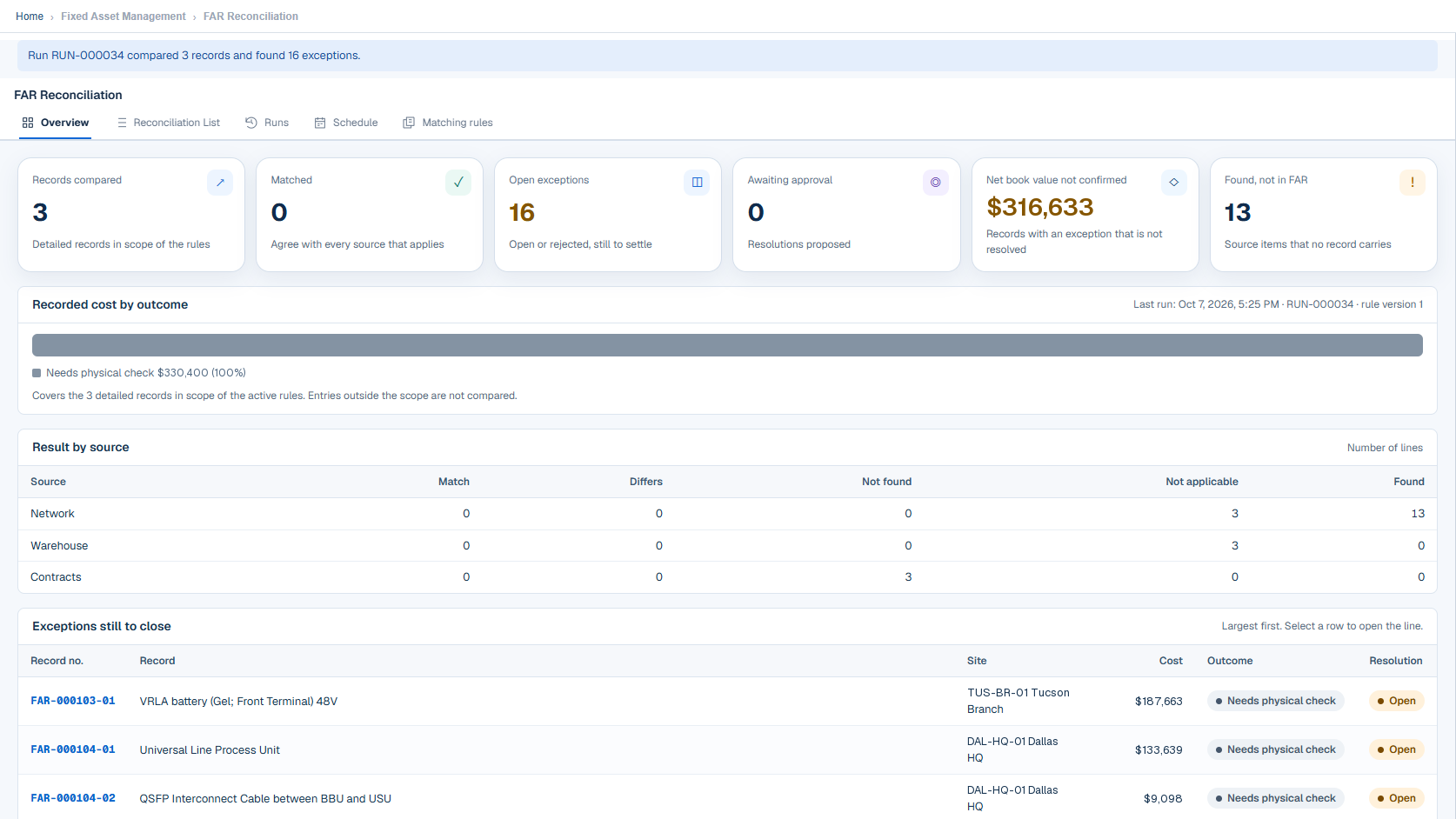
Each run reports the records compared, matched and still open, with results per source: network, warehouse and contracts. Exceptions are listed largest first, with outcome and resolution.
- Net book value not yet confirmed
- Items found that the register does not carry
- Result by source
- Exceptions still to close
Every entry shows how far detailing has gone.
Not detailed
The booked entry is loaded.
Detailing
Detail records are being added.
Awaiting approval
Submitted to a second person.
Detailed
Approved and complete.
A rejected entry returns for rework, and an approved entry can be reversed with a reason.
See what’s missing, what’s extra, and what doesn’t match.
Each record is returned as matched, mismatch, not found, not in the register or needs physical check, with a match percentage.
- Resolutions proposed by one person and approved by another
- Actions: correct the record, add to the register, accept the difference, confirm a physical check or propose a write-off
- Versioned rule sets with match keys, tolerance and staleness checks
- Net book value derived from cost and accumulated depreciation
- Original currency, amount and exchange rate stored
- One approval inbox across the register modules
See Fixed Asset Register with your own data.
We will walk through this module on a workflow that matters to your organization.