Integration ready, in more ways than one.
assetziq sits beside the systems you already run. Connect through APIs, files, batch loads or direct device collection, and sign in with your own identity provider.
- APIs across the product
- Data sync by file and batch
- Direct device collection
- Single sign-on
- ERP connectors
 one asset record
Six ways to move data in and out.
Choose the method that fits each system. Most estates use more than one.
Product APIs
Each area of the product has a documented API, so other systems can read and write asset data in real time.
File exchange
Import templates for loading registers, capital work, capitalized assets, purchase requests, projects and warehouses, with import history and spreadsheet export.
Batch loads
Bulk loading of network asset snapshots from staging tables, for large estates and regular refreshes.
Direct device collection
Discovery reads devices itself using reachability scans and SNMP, with no export from another tool.
Events and webhooks
Notify other systems the moment an asset changes, an approval is decided or a reconciliation completes.
Packaged connectors
Ready-made connectors for ERP and finance systems, so master data and postings stay in step.
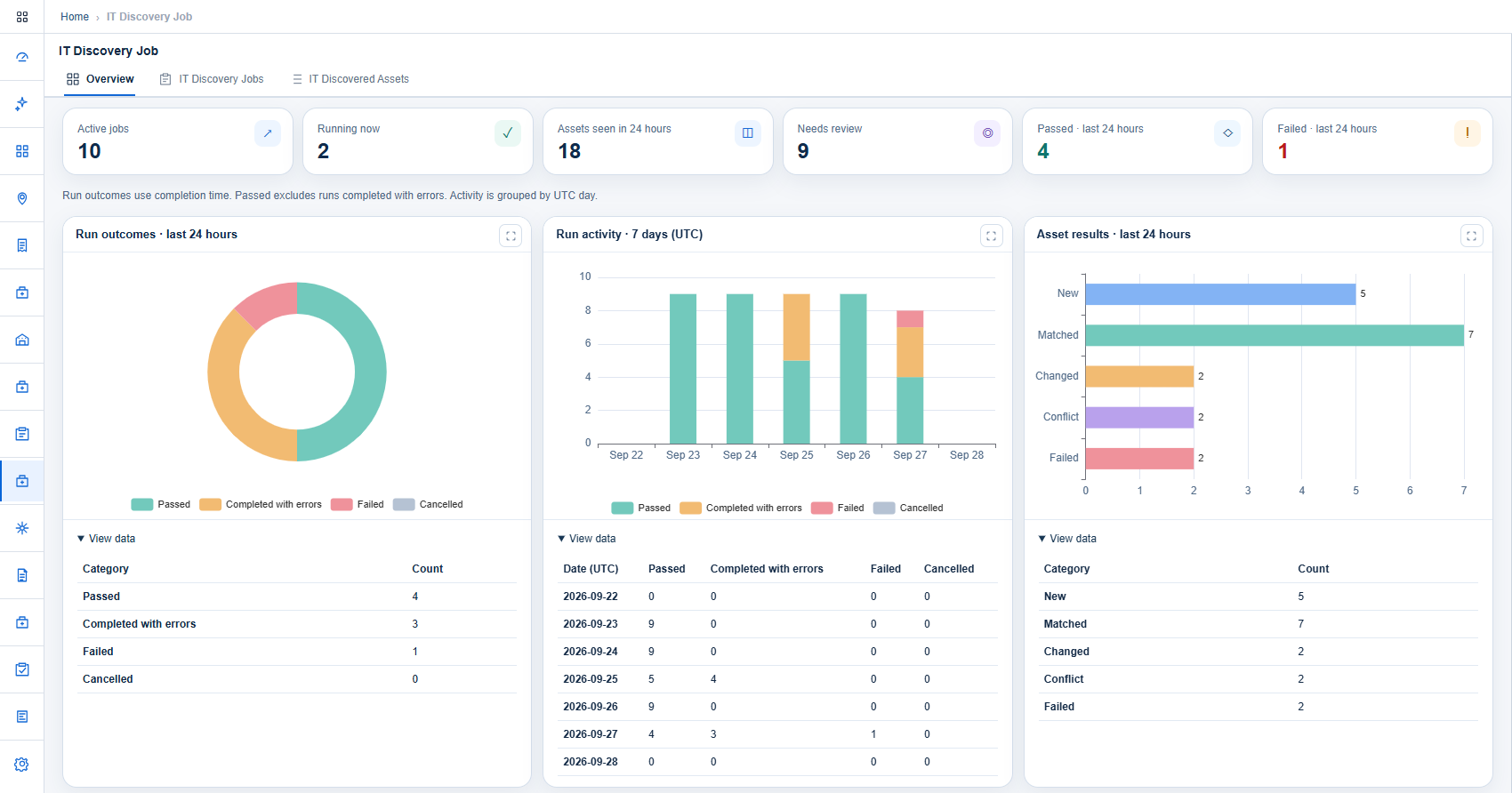
No export needed: discovery reads the devices itself.
Where other tools wait for a file from a network system, assetziq collects directly and shows every run, result and change on screen.
- Network and IT discovery jobs
- Device profiles for six network vendors
- Credentials resolved from your vault at run time
Your data, in step across every system.
assetziq keeps asset, finance, procurement and warehouse data aligned with the systems around it, automatically and with a record of every exchange.
Real time
Changes pass between systems through the APIs the moment they happen.
Scheduled
Larger exchanges run on a schedule you set: hourly, daily or weekly.
Validated
Incoming data follows the same rules and approvals as data entered on screen.
Logged
Every exchange is recorded, with errors reported and ready to retry.
| Data | Syncs with | Direction | How |
|---|---|---|---|
| Asset master data | ERP, configuration databases | Two-way |
|
| Network inventory | Network devices and management systems | Inbound |
|
| Fixed asset register | ERP finance and asset accounting | Two-way |
|
| Capital projects and CWIP | ERP project systems | Two-way |
|
| Purchase requests and orders | ERP procurement | Two-way |
|
| Goods receipts and invoices | ERP procurement and accounts payable | Two-way |
|
| Warehouse stock and movements | Warehouse and ERP inventory | Two-way |
|
| Contracts and vendors | Contract and vendor systems | Two-way |
|
| Users and roles | Enterprise identity provider | Inbound |
|
| Carbon and energy data | Energy and monitoring systems | Inbound |
|
| Asset labels | Label printers | Outbound |
|
| Reports and analytics | Business intelligence tools | Outbound |
|
What connects today, and what is next.
Identity and access
- Enterprise identity providers
- Single sign-on for every module
Network and discovery
- SNMP v2c and v3
- Reachability scans
- Device profiles for six network vendors
- Command-line and NETCONF collectors
Secrets management
- HashiCorp Vault
- CyberArk
ERP and finance
- SAP
- Oracle
- Tally
- Other ERP systems
Service management
- Ticketing and service desk tools
- Configuration databases
Maps and location
- Sites on a built-in map
- Geographic information systems
Reporting
- Spreadsheet export
- Purchase order PDF
- Business intelligence tools
Labels and printing
- Label printers using ZPL
- PDF labels
- Code 128 and QR codes
Notifications
- Email for contract expiry and milestones
- Messaging and chat tools
Cloud platforms
- Cloud resource inventory
- Cloud cost and usage data
People and directories
- Employee directory for asset assignment
- Joiner and leaver events
Monitoring and sensors
- Network monitoring alerts
- Sensor and condition readings
An integration in four steps.
Map
Agree which system owns each piece of data and which way it flows.
Connect
Choose the method: API, file, batch load or direct collection.
Test
Run with sample data and check the results against both systems.
Operate
Schedule the exchange and review import and run history.
Integration questions, answered.
Can assetziq work alongside our ERP today?
Yes. Data is exchanged through ERP connectors, the product APIs and data sync.
Does assetziq post to our general ledger?
Ledger account and journal references are recorded on the asset, and postings are exchanged with your finance system through the ERP connectors.
Can we use our own identity provider?
Yes. assetziq supports single sign-on with enterprise identity providers.
How do we load our existing data?
Use the import templates provided for each area. Every import is recorded in an import history.
We have a very large network inventory. How is that loaded?
Large estates can be loaded in bulk from staging tables, and kept current by discovery runs.
What if the system we use is not listed?
The product APIs and file exchange work with any system. Tell us what you run and we will confirm the best method.
How are the APIs secured?
API calls go through the same sign-on and role permissions as the portal, so a system can only do what its role allows.
How often can data be exchanged?
API calls are immediate. Discovery jobs and reconciliation runs can be scheduled, and file imports can be run whenever you need them.
Is there a limit on import size?
Each template has a row and file-size limit, and errors are reported row by row so a file can be corrected and loaded again.
Can we get our data out?
Yes. Data can be read through the APIs, purchase order history exports to a spreadsheet, and orders and labels are produced as PDF.
Who builds the integration?
Our team works with yours during onboarding: we agree which system owns each piece of data, connect and test it, then hand over the schedule.
Will an integration change our approvals?
No. Data that arrives through an API or a file follows the same validation and approval rules as data entered on screen.
Tell us what you need to connect.
Share the systems around your asset estate and we will map out the integration with you.